
Immich Desktop


Your photos and videos from your immich library,
right in the macOS Finder and in every file
dialog.
brew install --cask kartax/tap/immich-desktop
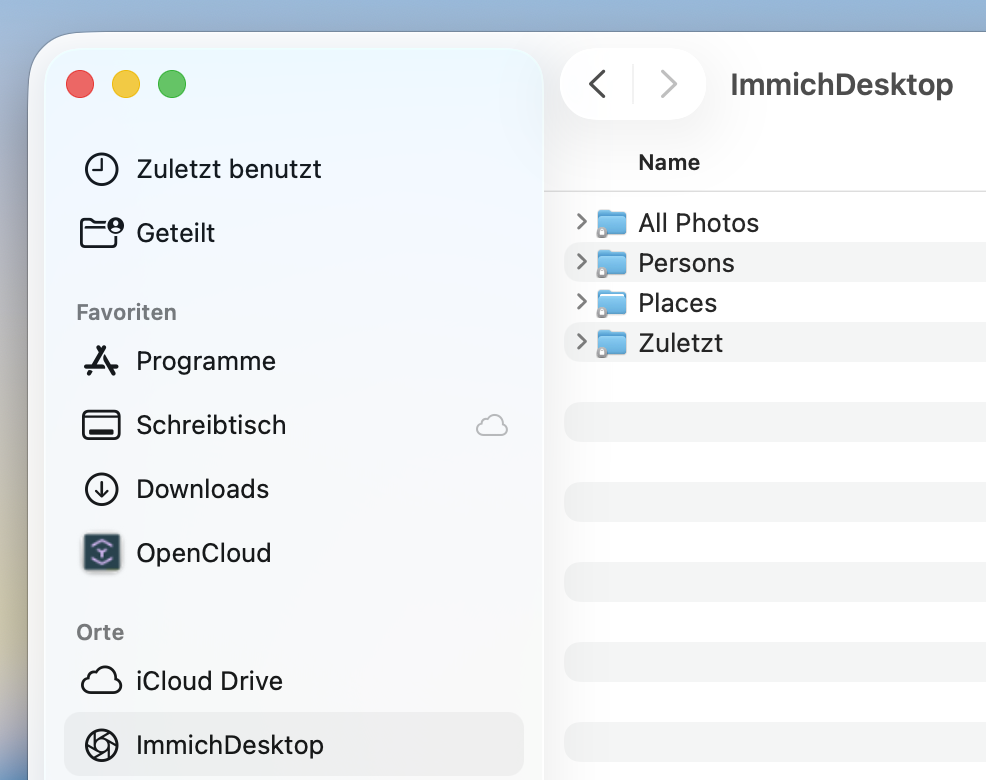
Immich in the Finder sidebar
Immich Desktop mounts your server as a location in the macOS Finder sidebar. Browse all items by year and month, by album, by location or even by person. Files appear with thumbnails — the original is fetched only when you open it.
Quickly browse your gallery
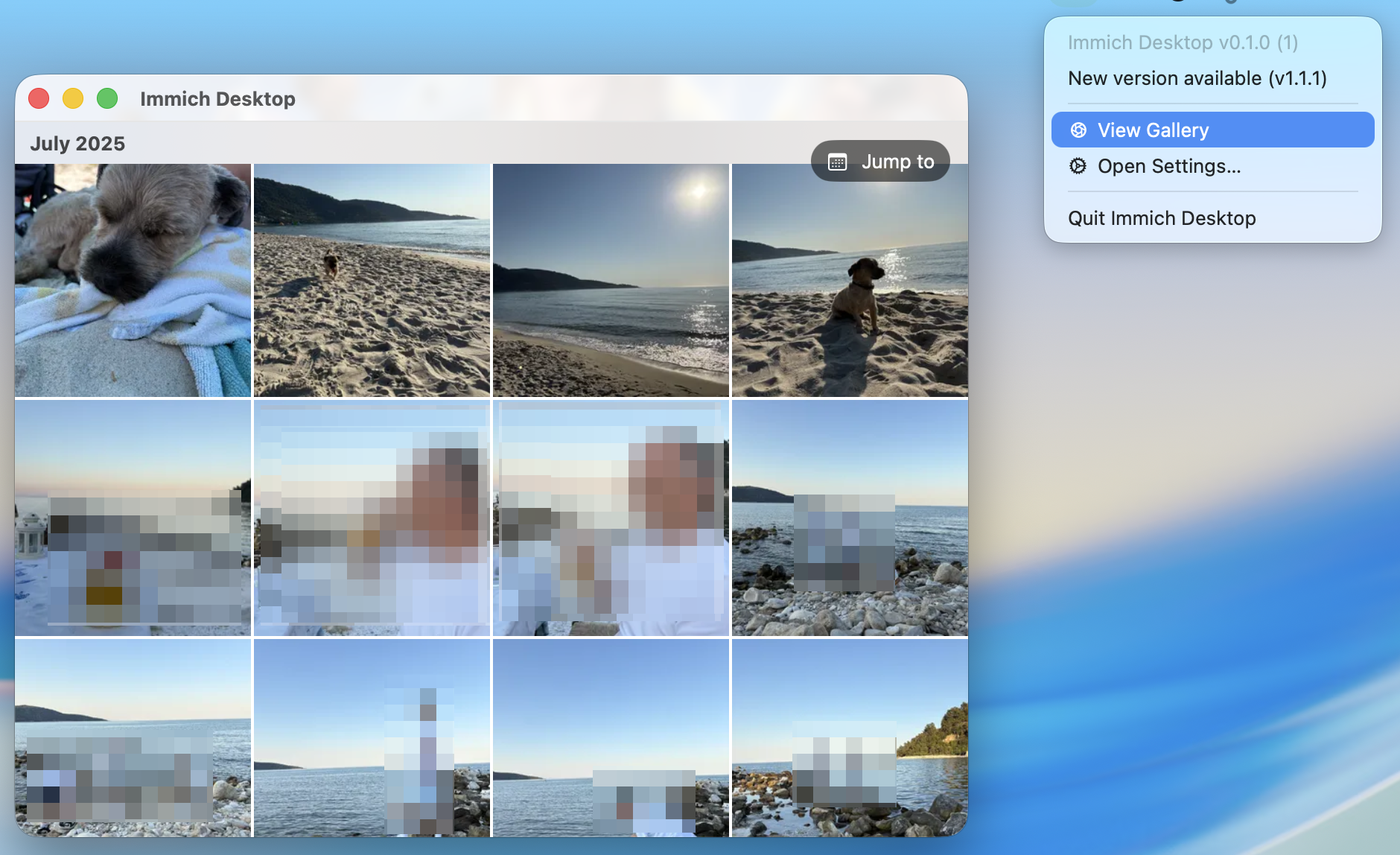
Open the built-in gallery straight from the menu bar and skim your whole library, newest first. Only what's on screen is loaded, so it stays fast even with a huge library. Click any photo or video to view it large — videos stream right from your server — and jump to any year and month in a single click.
Connect to your Immich server
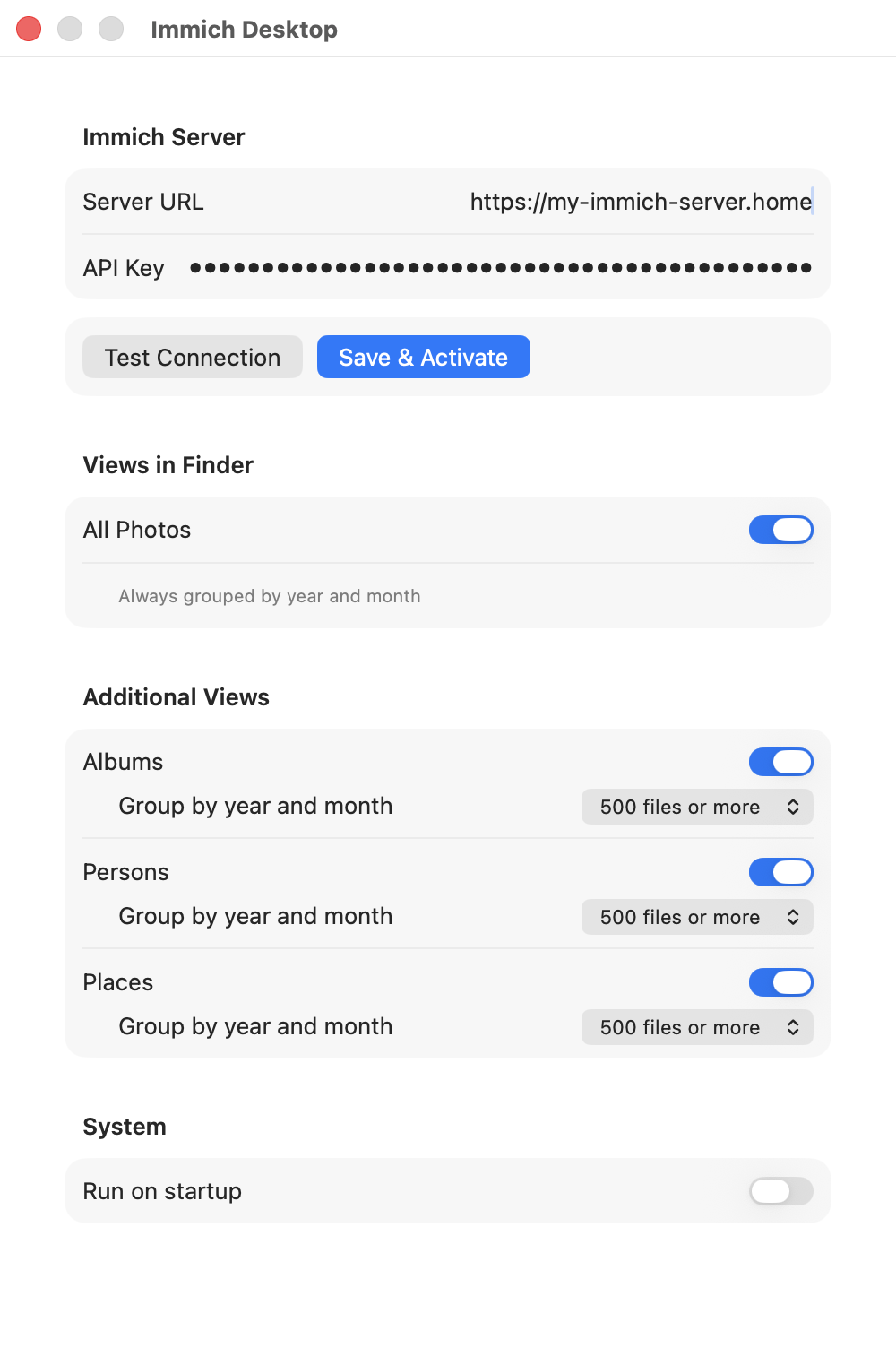
Enter your Immich server URL and an API key, hit Save & Activate,
and that's it. Browsing downloads originals only on demand; uploads go
directly to your Immich server without a third-party relay.
Choose which Finder views to show. All Photos is always organized by year
and month; Albums, Persons, and Places each have their own grouping mode.
Stop or wait for gallery and Finder uploads before changing the connection
or rebuilding Finder's hierarchy.
Why Immich Desktop
Native Finder integration
Built on Apple's File Provider system — your Immich photos behave like real files in Finder and in every open/save dialog.
Download on demand
Photos appear as lightweight placeholders with thumbnails. The full-size original downloads only when you open it.
Your data stays yours
Immich Desktop talks directly to your self-hosted server. Nothing is routed through a third party.
Lives in the menu bar
No Dock clutter. A small menu-bar app manages the connection; Finder remains mounted when it quits so macOS can continue queued transfers independently.
Frequently asked questions
How do I access my Immich photos on a Mac?
Install Immich Desktop, enter your Immich server URL and an API key, and your library appears as a location in the macOS Finder sidebar — browsable like any folder, in Finder and in every open/save dialog.
Do my photos pass through a third-party server?
No. Immich Desktop talks directly to your own Immich server. Everything runs locally on your Mac — your photos never pass through anyone else's server.
What do I need to use Immich Desktop?
macOS 14 (Sonoma) or later, and an Immich server v1.135.0 or later that you can reach.
What permissions does the API key need?
Your Immich API key needs album.read, asset.read,
asset.download, asset.view,
with person.read for Persons. Optionally add asset.upload
for uploads and asset.delete for gallery deletion. Existing read-only
keys keep working for browsing and downloads; upload requests adapt to pre-v3
and v3 servers without an additional key-management permission. The minimum
server version remains v1.135.0.
Can I upload photos and videos?
Drop one or multiple standalone image/video files into the gallery, or drop/copy/move-paste them into Finder's All Photos entry point. These are additions only: albums and date folders are not upload destinations, and Finder cannot rename, move, edit, or delete existing library files. Folders, non-media files, Live Photo pairing, and separate XMP sidecars are not supported; server-supported RAW files are accepted.
Originals and embedded metadata are transferred unchanged, with no resizing, transcoding, date overrides, or new albums. Immich's normal storage rules and natural date folders apply; there is no separate Uploads hierarchy. Gallery drops and Finder copies preserve local originals. Explicit Finder moves are intended to remove sources only after server confirmation, but native source-unlink timing and date-folder reparenting remain unverified pending the user's runtime validation. This is not a source-preservation guarantee; use copies until validated.
Existing non-trashed duplicates count as Already in library; trashed duplicates need attention and are not restored automatically. Gallery progress and per-file failures stay accessible from the menu-bar app after the gallery closes. There is no persistent app-managed upload queue or retained recovery copy; Finder controls its own staging and retries. Stop or wait for unfinished uploads before changing the connection, rebuilding the hierarchy, or removing the Finder domain. macOS's pending-upload set is delayed and omits initial transfers, so a queued initial upload not yet reported to the provider may be invisible to configuration guards. Finish queued Finder work and resolve transfer errors before resetting.
Is Immich Desktop free?
Yes. Immich Desktop can be downloaded and used for free.